
usagio on macOS, Linux, and Windows
A native menu bar on all three — same menu, same auto-swap, same never-re-login guarantee, for both Claude Code and Codex.
usagio tracks usage and quota across Claude Code, Codex, and every AI coding CLI you run — multiple accounts per provider, one keystroke to switch, and an auto-swap daemon that keeps you coding when a weekly limit hits.
Free & open source · macOS · Linux · Windows
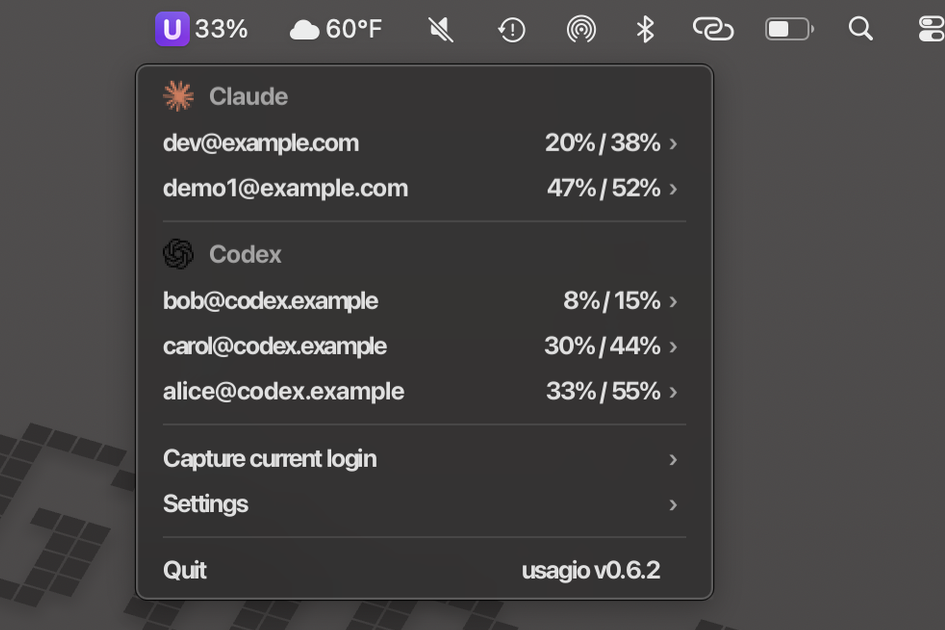
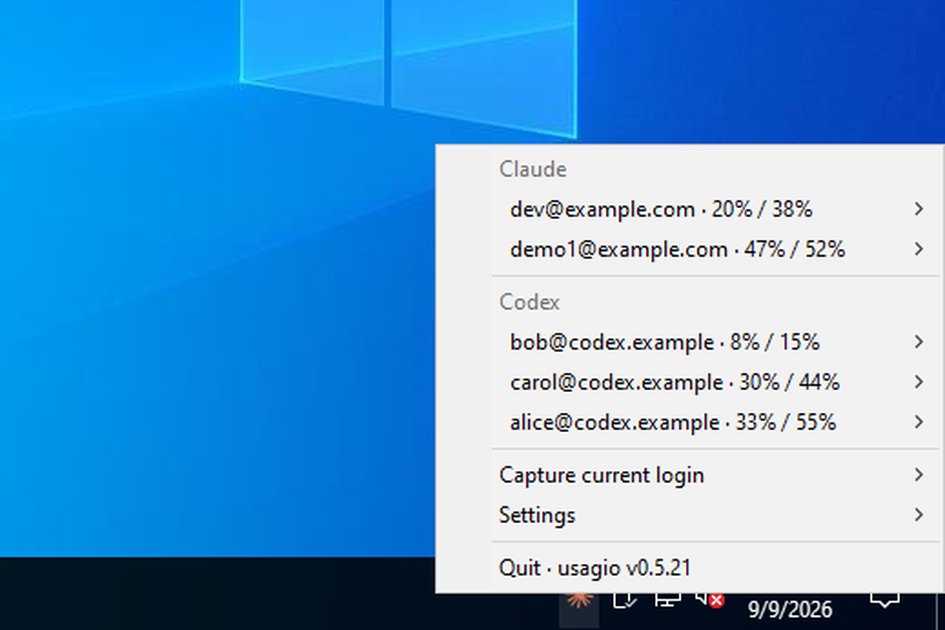
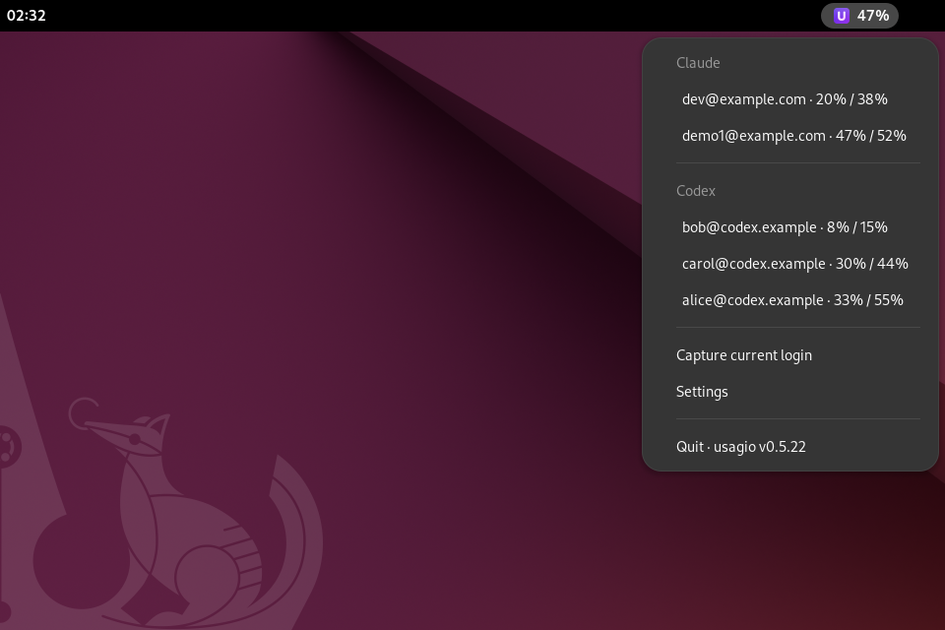
Capture each account's login once. usagio never touches your active account's token — the vendor CLI owns it — so there's no recurring/login dance, on any provider.
A native menu bar on all three — same menu, same auto-swap, same never-re-login guarantee, for both Claude Code and Codex.
Instantly swap between OpenAI Codex accounts too. ~/.codex/auth.json is under usagio's control now.
usagio never touches your active account's token — the vendor CLI owns it. Capture a login once and it stays valid; switching between accounts never triggers a fresh /login.
First-party coverage for Claude Code and Codex today. Stubs and scaffolding for the rest are in the tree — provider adapters land as each CLI's usage surface stabilises.
 Claude Code
 Codex
Codex Cursor
 opencode
 Gemini CLI
 Qwen
Qwen Copilot CLI
 Amazon Q
 Cline
Cline Grok
Grok Kimi
Kimi OpenRouter
 DeepSeek
 Z.ai
Z.ai Fireworks
 Synthetic
Shipping today Planned / stub in tree
Full support for both providers on all three OSes — one binary, one menu, the same never-re-login guarantee everywhere you code.
Each row shows session-window and weekly-quota use as a percentage, with reset countdowns on hover. No dashboards, no browser.
Sign in more than once to Claude Max or Codex, switch which one claude or codex uses without touching /login.
When a weekly quota is about to hit, usagio drains accounts in reset order — the next account is already active before you notice the wall.
The same single Rust binary powers the menu-bar app and a scriptable CLI. Pipe usage into your shell prompt, or check it in a Raycast script.
Tokens live in your OS keychain, not a file. One small binary per OS — no Electron, no bundled Chromium.
Pure Rust. Install via Homebrew or build from source. The whole app is licensed MIT — run it anywhere, audit it, build on it.
usagio talks to first-party provider endpoints with tokens issued toyour account. That's a lot of trust to give a closed binary. Every line is MIT-licensed and onGitHubso you can audit exactly what it sends, where it stores state, and how the auto-swap decides when to move you.
The menu reads at a glance in every state — from a fresh Monday morning to the moment auto-swap catches a weekly ceiling.
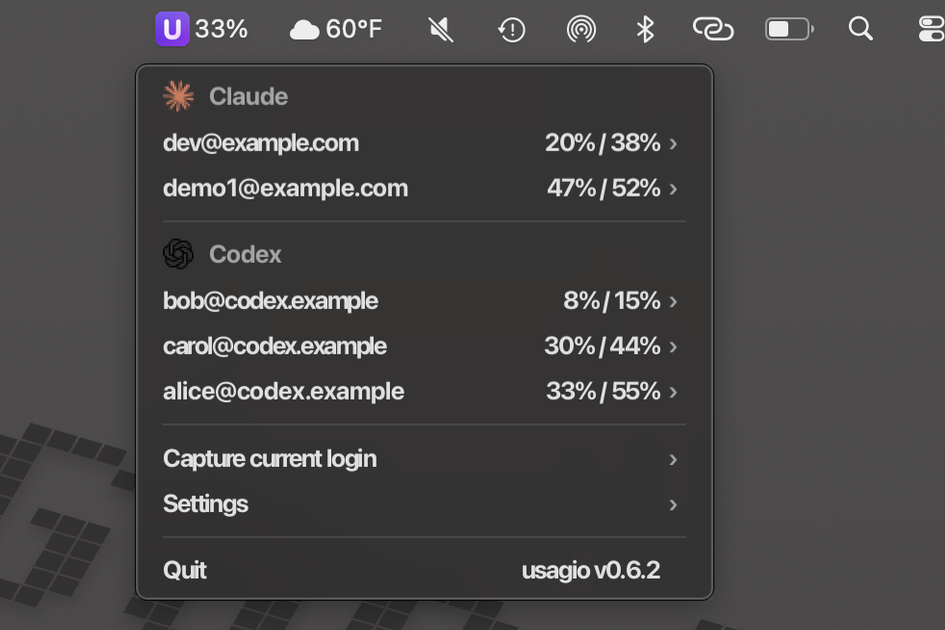
All accounts under 60% weekly. Menu stays green; auto-swap keeps its powder dry until it's actually needed.

One account at 82% starts glowing amber. Another crosses 94% and turns red. Auto-swap has already picked the next candidate — you notice the color before you notice the wall.

When an account hits 100%, its percentage row swaps for a countdown to when it's usable again. Auto-swap flips to the next-priority account in the same tick — no interruption.
One Rust binary, one menu bar, the same auto-swap and never-re-login guarantee — captured live on each OS.
brew install puts the binary on your PATH.usagio install wires up the menu-bar app and the auto-swap daemon, now and at every login.
# Homebrew tap → single Rust binary, no runtime, no webview$ brew tap --trust mattjackson/tap
$ brew install mattjackson/tap/usagio
$ usagio install   # menu-bar app + auto-swap, now and every login
Prefer a manual install, or building from source? See the download page →